Small Office IT Kit
From “no IT” to safe and backed up, in one weekend.
A do-it-yourself kit for small offices with nobody in charge of the computers. Ten short guides walk you through passwords, 2FA, backups, Wi-Fi, updates, your domain and scam-proof money rules. No IT background needed.
Instant download · PDF and Word · 30-day no-questions refund
Who it’s for
Offices of 1 to 15 people where the owner or office manager ended up looking after the computers.
- Contractors and tradesInvoices, payroll and a laptop in the truck.
- Shops and restaurantsA guest Wi-Fi, a back-office PC and a lot of logins.
- Salons and studiosBooking apps, social media and a shared front-desk computer.
- Farm and family officesThe books, the bank and the accounts only one person knows.
Not for banks, medical or dental offices, or government offices. Those have compliance rules this kit doesn’t cover.
The ten guides
Each one tells you the time it takes, what you need, the steps, and how to check it worked. About 7 hours in all.
| Guide | Time | What you end up with |
|---|---|---|
| 1Take inventory | 30 minutes | One list of every device, account and who holds each password. |
| 2Password manager for the team | 1 hour | Everyone on a password manager, with shared logins in shared vaults instead of sticky notes. |
| 3Turn on 2FA everywhere | 1 hour | A second lock on email, bank, payroll, social media and the domain, with backup codes stored safely. |
| 4Business email instead of personal Gmail | 1 hour | Email at your own domain that the business owns, not the person who set it up. |
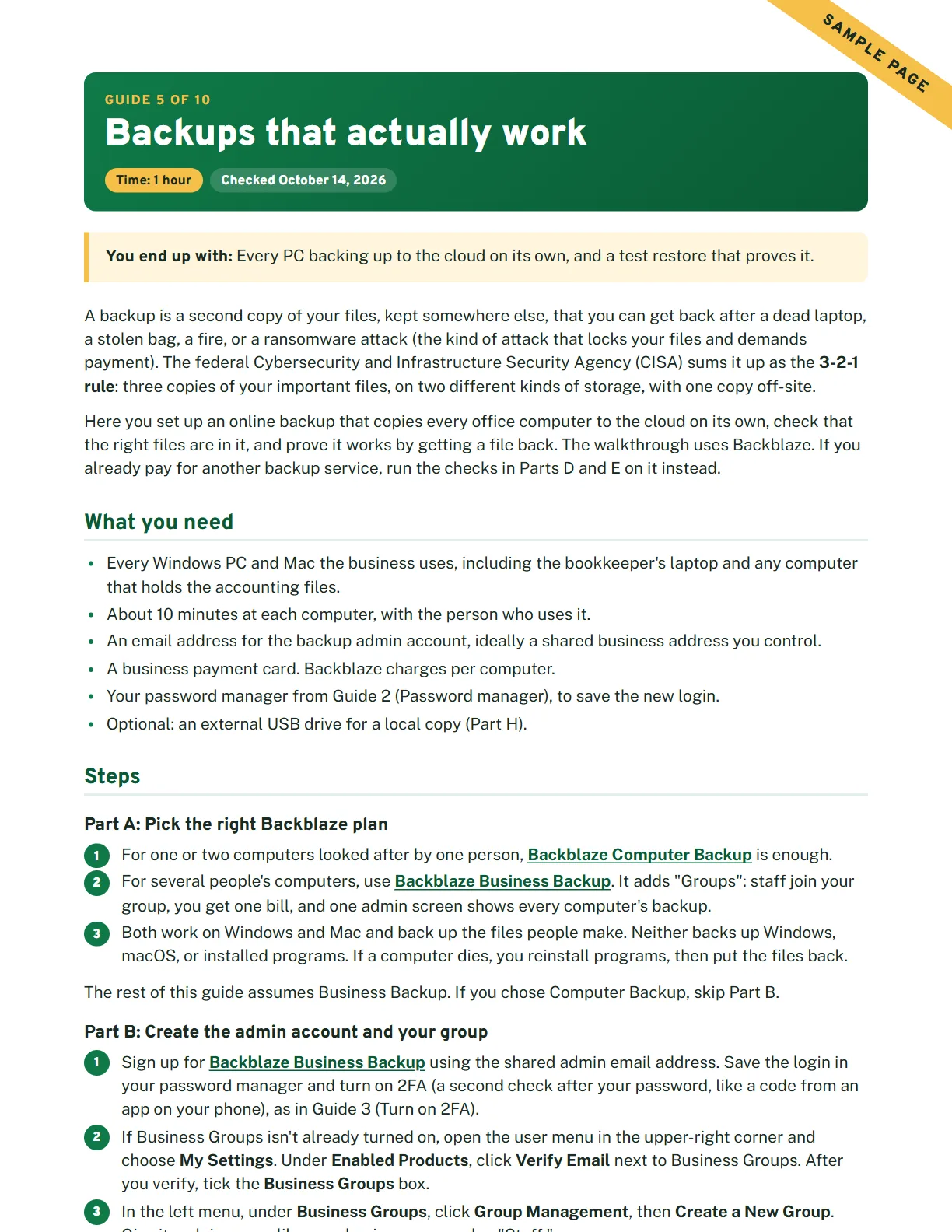
| 5Backups that actually work | 1 hour | Every PC backing up to the cloud on its own, and a test restore that proves it. |
| 6Split the Wi-Fi | 30 minutes | Separate staff and guest Wi-Fi, and a router admin password that is no longer the default. |
| 7Update everything | 30 minutes | Automatic updates on for PCs, phones and the router, and a list of anything too old to update. |
| 8Who owns the domain and website | 30 minutes | The domain in the business’s name, set to auto-renew, with the logins on file. |
| 9Spot the scam | 30 minutes | Simple money rules your whole team knows: call back, two people, never gift cards. |
| 10When something goes wrong | 30 minutes | A filled-in one-page plan: who to call and what to do in the first hour. |
Also in the download
- “We got hacked, now what?” wall sheetThe first steps and who to call, on one page by the office computer.
- New-employee and leaving-employee checklistsAccounts, passwords, devices and Wi-Fi, set up and shut off the same day.
- Yearly check-up listOne page, once a year, to keep everything from drifting.
- The IT binderAccounts, vendors, renewal dates, devices and emergency contacts. Fillable PDF and Word.
Questions
Do I need to be good with computers?
No. The kit is written for owners and office managers, not IT people. Every guide uses short numbered steps and explains any technical word in plain English the first time it appears. If you can install an app on your phone, you can do this.
What if it isn’t for me? Can I get a refund?
Yes. If you're not happy with it for any reason, email [email protected] within 30 days of buying and you'll get a full refund. No questions asked.
Is this for banks, medical offices or government offices?
No. Banks, credit unions, medical and dental offices, government offices and other regulated businesses have compliance rules (such as HIPAA or banking regulations) that this kit doesn’t cover. If that’s you, talk to your compliance contact or an IT company that works with your industry.
What will I need besides the kit?
A computer, your phone, and about 7 hours over a weekend. Some steps use services that charge their own subscription, such as a password manager, business email and cloud backup. The kit helps you pick a plan that fits a small office; those subscriptions aren’t included in the price.
Does it work for Windows and Mac?
Yes. The guides cover Windows and Mac computers, iPhones and Android phones. Where the steps differ, each one is shown.
What do I actually get?
An instant download (a .zip file) with the full kit as one PDF, the printables as separate PDFs you can type into or print, and the IT binder as a fillable PDF and an editable Word file.
How current is it?
Every step was checked against the vendors’ own documentation, and each guide shows the date it was checked. Vendors move buttons around, so each guide also tells you what to look for if a screen doesn’t match.
Do vendors pay to be in the kit?
No vendor paid to be included. If a link ever earns a commission, it will be labeled.
Get your office sorted this weekend
$49, one time. Instant download. 30-day no-questions refund.